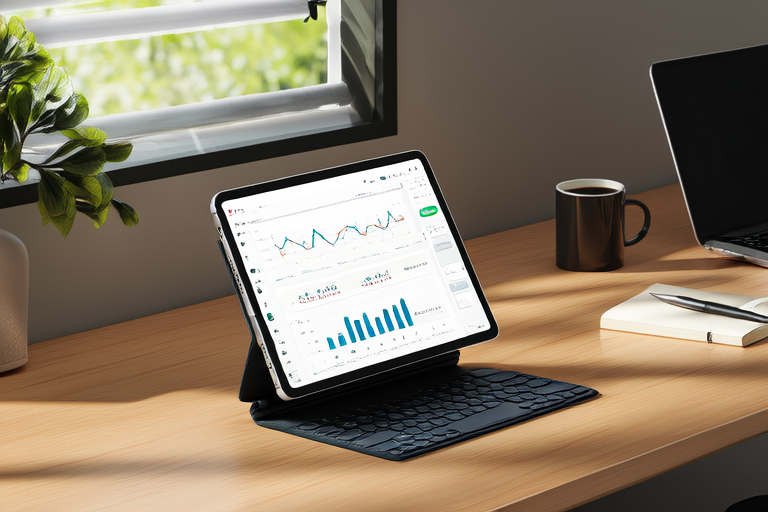

Mastering Multitasking: Why Tablets are Perfect for Productivity Enthusiasts
Introduction
In today’s fast-paced world, the ability to manage multiple tasks simultaneously—multitasking—is crucial for staying productive and competitive. Whether you’re a remote worker, a creative professional, or a student juggling assignments, the need to handle various responsibilities at once is more pressing than ever. Traditional desktop setups, while powerful, often fall short in facilitating seamless multitasking. Enter the tablet—compact, versatile, and designed to meet the demands of modern productivity enthusiasts.
This article explores why tablets are particularly well-suited for multitasking, offering a range of features and functionalities that make them indispensable tools for those looking to optimize their workflow. From portability and touch interfaces to advanced multitasking capabilities and innovative accessories, we’ll delve into the reasons why tablets are the perfect companions for productivity enthusiasts.
Understanding Multitasking Needs
Productivity enthusiasts often find themselves juggling a variety of tasks simultaneously. These may include managing emails, editing documents, participating in video conferences, and even creating presentations or artwork. While traditional desktop setups offer powerful hardware and software, they can be cumbersome and less flexible when it comes to handling multiple tasks at once. Monitors, keyboards, and mice take up significant desk space, and switching between applications can be time-consuming.
Tablets, on the other hand, offer a more streamlined approach to multitasking. Their compact size, lightweight design, and intuitive touch interfaces make them ideal for managing multiple tasks efficiently. Unlike desktops, tablets don’t require a dedicated workspace, allowing users to work from anywhere with ease. This portability is especially beneficial for professionals who frequently travel or work remotely.
Key Features of Tablets for Multitasking
Physical Design Advantages
One of the primary advantages of tablets is their physical design. They are lightweight, portable, and easy to carry around, making them ideal for on-the-go productivity. The touchscreen interface allows users to interact with their devices naturally, reducing the need for external peripherals like mice or keyboards. Additionally, many tablets come equipped with digital pens and styluses, which are invaluable for tasks like note-taking, sketching, and drawing.
Split-Screen and Multi-Window Modes
Many modern tablets support split-screen or multi-window modes, allowing users to run multiple applications simultaneously. For instance, you can view an email inbox alongside a document editor or participate in a video conference while checking your calendar. These features make it easier to switch between tasks without interrupting your workflow, thereby enhancing overall productivity.
Integrated Apps and Tools
Tablets often come preloaded with a suite of productivity-enhancing apps, including task managers, calendars, and project management tools. These integrated applications streamline workflows by providing centralized access to all necessary tools. Users can easily set reminders, schedule meetings, and track progress on projects—all from within the tablet’s ecosystem. This level of integration ensures that no task is left unattended, further boosting productivity.
Enhancing Productivity with Tablet Accessories
While tablets are inherently versatile, certain accessories can further enhance their functionality and efficiency. External keyboards, docks, and styluses are just a few examples of accessories that can transform a tablet into a fully-fledged productivity powerhouse.
External Keyboards and Docks
For users who prefer typing over tapping, external keyboards provide a familiar and comfortable input method. Many tablets are compatible with Bluetooth keyboards, allowing users to type faster and more accurately. Docks, on the other hand, offer additional connectivity options, such as USB ports, HDMI outputs, and SD card slots. These docks enable users to connect external storage devices, projectors, or monitors, expanding the tablet’s capabilities beyond what is possible with the device alone.
Flexibility Compared to Laptops and Smartphones
Compared to laptops, tablets offer greater flexibility in terms of form factor and usage scenarios. While laptops are excellent for traditional computing tasks, they can be bulky and inconvenient for mobile use. Tablets, on the other hand, are thin, light, and easy to carry, making them ideal for working in tight spaces or while traveling. In comparison to smartphones, tablets provide a larger screen and more robust performance, enabling users to tackle complex tasks that would be challenging on smaller devices.
Real-World Applications and Case Studies
Tablets have proven to be invaluable tools for professionals across various industries. Remote workers, for example, often rely on tablets to manage their schedules, communicate with colleagues, and complete assignments while away from the office. Creatives, such as graphic designers and illustrators, use tablets to sketch ideas, edit photos, and create digital art. Students also benefit from the portability and versatility of tablets, using them to take notes, research, and collaborate on group projects.
Consider the case of a freelance graphic designer who frequently travels for client meetings. With a tablet, this designer can seamlessly switch between tasks such as reviewing emails, editing designs, and attending virtual meetings. The ability to multitask efficiently ensures that no important task is overlooked, leading to increased productivity and client satisfaction.
Another example is a student preparing for exams. By using a tablet, the student can access course materials, take notes, and participate in online study groups all from one device. The convenience and efficiency offered by tablets make them an excellent choice for students looking to stay organized and focused during exam season.
Future Trends and Innovations
The future of tablet technology holds exciting possibilities for enhancing multitasking capabilities. Emerging trends such as augmented reality (AR) and artificial intelligence (AI) are expected to play a significant role in shaping the next generation of tablets. AR, for instance, could enable users to overlay digital information onto the real world, providing a more immersive and interactive experience for tasks like remote collaboration or virtual training.
AI-powered assistants could further streamline workflows by automating routine tasks, suggesting improvements to documents, and even predicting user needs based on past behavior. These advancements could lead to more intelligent and responsive tablets, capable of adapting to individual user preferences and optimizing productivity even further.
Conclusion
In conclusion, tablets are uniquely suited for productivity enthusiasts looking to master multitasking. Their compact size, versatile design, and advanced features make them ideal for handling multiple tasks simultaneously. Whether you’re a remote worker, creative professional, or student, a tablet can help you stay organized, efficient, and productive in today’s fast-paced world.
As technology continues to evolve, tablets will likely become even more powerful and versatile, offering new ways to enhance productivity. If you haven’t already embraced the tablet as part of your workflow, now may be the perfect time to give one a try.